Preffered Owner
- Part 1 covers some theory and GUI configuration.
- Part 2 will focus on setting Preferred Owners with Powershell.
- Part 3 will explain logic behind Possible Owners in PowerShell function.
- Part 4 will cover the last step - setting anti-affinity groups.
- Part 5 will describe reporting of current configuration in the cluster.
In first part I’ve covered some basic information about different advanced assignment policies for VM in a Failover cluster. This time I’d like to use some PowerShell to set 'preferred owner' for my VMs.
General concept
As stated before - I like my functions to run with alternative Credentials. If Credential parameter is passed, then PSSession will use it. Else, it will use current user context. Thanks to this I can code, run and test using VSCode on my workstation without the need to run with scissors admin rights. This does complicate code a bit, but gives me flexibility.
I choose to use Invoke-Command, get necessary data and parse/transform/check in my main session. This way I don’t need all RSAT cmdlets on my workstation and this code is portable. It should also work from any system (Linux/MacOS/Windows)!
If it’s not possible to create PSSession - no code will do anything so I’ll error here:
To reset Preferred Owners to defaults (no preferred owner ) I’ll need to pass empty string or $null.
If $PreferredOwner is provided, I need to be able to verify if provided Nodes are correct - if $Cluster does have members with those names. To do this I’ll use Compare-Object with -IncludeEqual. It will compare each node ($preferredOwner) with all cluster members ($nodesInCluster) and give proper verbose information:
When this is done I can loop through $VMName, read current status, set proper owners and read new status again. If -Verbose is set I will see what has changed from state A to state B.
Full Script
This is the full script
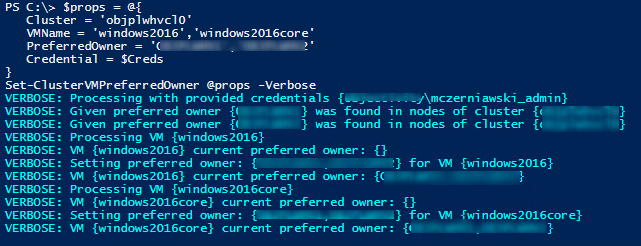
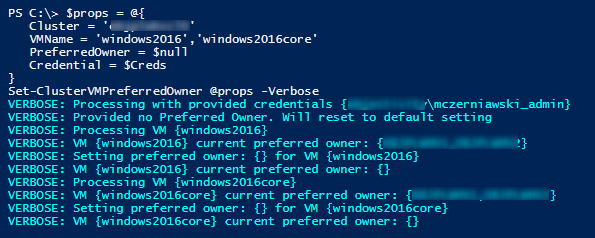
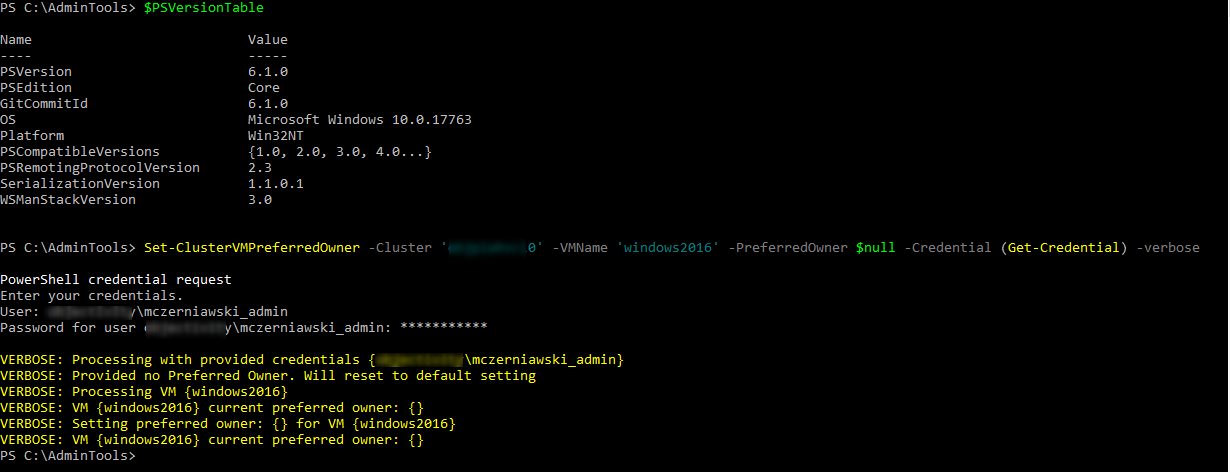
And this is an example output:
- setting preferred owner
- Clearing to defaults
- Same from PowerShell Core 6.1
Summary
This one is pretty simple.
- Create connection properties based on Credential parameter
- Validate provided nodes against cluster
- Set proper value if no $PreferredOwner is provided
- Verify if given VM exists and if so - Set Preferred Owner